.png?width=49&height=50&name=manifest-icon_black-1%20(2).png)
Overview
Having trouble logging into platform? Follow these steps to get back on track.
Before you begin
If you are logging in for the first time, follow this guide.
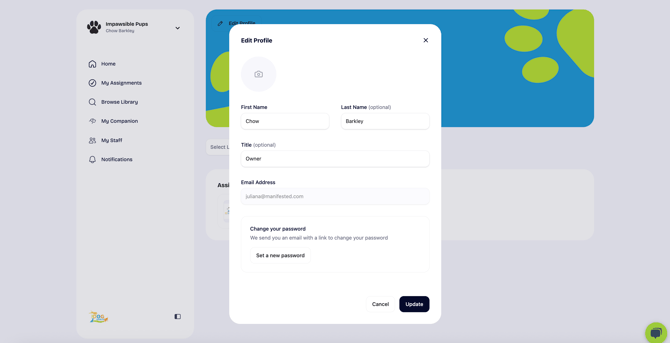
To update your password:
- Visit your Profile, and select Edit Profile
- Select Set a new password
- You will receive an email with a link to change your password. Follow the steps included in the instructions.