.png?width=49&height=50&name=manifest-icon_black-1%20(2).png)
Overview
Manifest's platform offers a comprehensive notification system that keeps you informed about various activities on the platform through email and push notifications. Note: Notifications cannot be turned off at this time.
What notifications will I receive?
Automated notifications vary depending on a user's role on The Dog Gurus.
| Role | Automated notifications |
| Owner | Everything in Manager |
| Manager | Everything in Staff, plus Staff completed assignment; Staff missed deadline |
| Staff | New assignment; Assignment due in 7 days; Assignment due in 1 day; Assignment past due |
Viewing notifications in platform
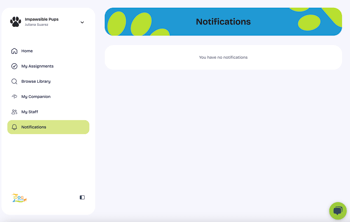
To view in platform notifications:
- Visit Notifications at https://app.thedoggurus.com/notifications
Manage your notification preferences
Manifest offers a comprehensive notification system that keeps you informed about various activities on the platform through email and push notifications.
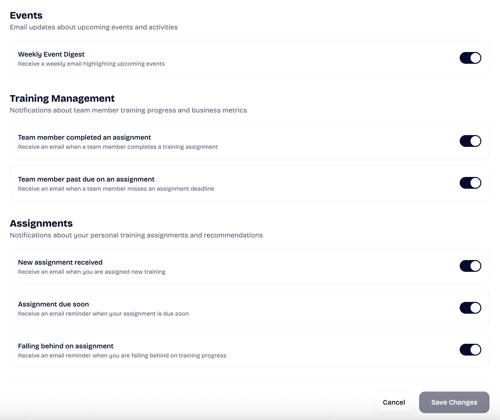
Go to Profile (top right) → Settings → Notifications to manage your preferences. You can adjust the toggle to the right of each notification type to turn off or on.
Depending on your role, you can manage different types of notifications:
- Events: All users can set preferences on upcoming events and activities available based on your role and subscription type.
- Training Management: Users with Manager or Owner permissions can edit notifications related to staff training progress including completed and past due assignments.
- Assignments: All users can set individual preferences for notifications related to assignments including new assignments and upcoming deadlines. These notifications only include your individual assignments (not notifications associated with staff members).
To save changes to notification preferences, you must select Save Changes.