.png?width=49&height=50&name=manifest-icon_black-1%20(2).png)
New Features

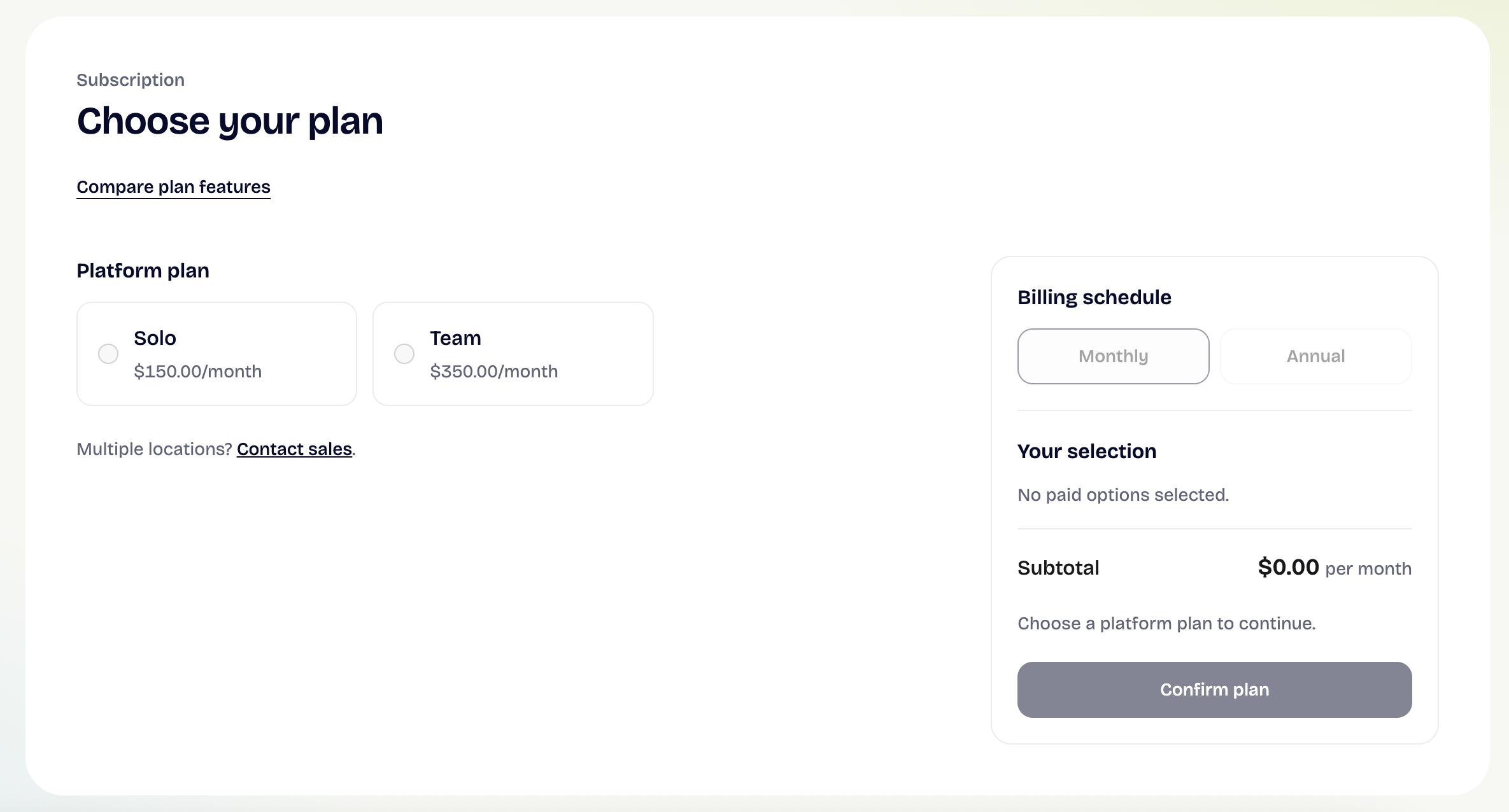
Billing > Choose your plan
Users with Owner permissions can now view, choose, and change their plan directly in the app. The new plan page offers monthly or annual billing, clear pricing, a Compare plans view, and saved cards ready to reuse. Selecting any locked feature, locked sidebar tab, or lock card on the home page now takes Owners straight to the plan page, focused on the module they were trying to open.
Users with Manager or Employee permissions who select a locked feature will now see the name of their business Owner, so they know who to ask.
AI Companion > Reads your uploaded documents
AI Companion can now read the text inside PDF and Word (.docx) documents uploaded to your Toolkit. Before, Companion could only see a document's title and description. This means Companion answers can now draw on your own SOPs, policies, and training documents.
Existing documents will be read the next time they are updated (for example, when the title or file changes). Scanned, image-only PDFs are not supported.
Toolkit > TXT and Markdown uploads
Users with Owner or Manager permissions can now upload .txt, .md, and .markdown files to the Toolkit. AI Companion can search the content of these files, too.
Improvements

Billing tab
Users with Owner permissions can now add a Billing address in the Billing tab. Accounts without an active subscription now see a working Choose a Plan link, and trial, payment, and plan-status notices now stay consistent in the sidebar. Dismissing one notice (for example, "your trial has ended") no longer hides a different one (for example, "your payment failed").
Scrolling and page speed
Scrollbars are visible again across the app, and the main content area can now be scrolled with your keyboard. The Owner home page, staff learning-time history, and course, plan, and learning item pages also load faster, especially for larger teams.
My Staff > Clearer error messages
When a staff removal isn't allowed (for example, a Manager trying to remove another Manager), you'll now see a message explaining why, instead of the staff member disappearing and reappearing.
Fixes

AI Companion responses
We resolved an issue in longer conversations where AI Companion sometimes answered the previous message instead of the one just asked. We also resolved an error that appeared when a first question was longer than 512 characters. These fixes were released on September 1 and September 29, 2026.
Toolkit video playback
We resolved an issue where videos uploaded to the Toolkit did not play. New uploads now finish processing before they are published. This fix was released on September 29, 2026.
Learning progress and staff management
- Completing a learning item no longer causes an error that could drop the completion.
- Removing a staff member who had been a training manager now works as expected.
- Resending an invitation to someone who already accepted now refreshes their status instead of showing an error.
- The due-date calendar in Add Employee no longer crashes the My Staff page.
- Learning pages now show the correct error message, instead of always showing "Check your connection."
Security enhancements
We strengthened permissions across uploads, video, and training; assessment scores are now also verified by our servers.